New this week:

Welcome to MacroVation.

Your front door for programs, calendar, lab updates, and the operating cadence.

Todayβ€”
Roster5 + David
HQRadford, VA
AccessInternal only
I need to…
Today
No scheduled events today β€” focus time.
Where's everything?

If you need to do X, here's where to go.

Open as PDF
I need to…Open thisDirect link

Make this your default tab

Pin this page in your browser so it loads on startup.

Chrome
  1. Click the three-dot menu (top-right) → Settings.
  2. Under "On startup" choose "Open a specific page or set of pages."
  3. Click "Add a new page," paste this portal's URL, click Add.
Edge
  1. Click the three-dot menu (top-right) → Settings → Start, home, and new tabs.
  2. Under "When Edge starts" choose "Open these pages."
  3. Click "Add a new page," paste this portal's URL, click Add.
Safari
  1. Open Safari → Settings (or Preferences) → General.
  2. In the "Homepage" field paste this portal's URL.
  3. Set "New windows open with" and "New tabs open with" to "Homepage."
Programs

Four programs in flight.

Live status pulled from Microsoft Planner. Click a tile for the full plan.

Shipping this week

Five things landing by Friday.

The deliverables we're committing to land this week. Editable next pass.

Master Calendar

Next 30 days.

Pulled from MacroVation Master Calendar (SharePoint) Open in SharePoint →
What's new in the lab

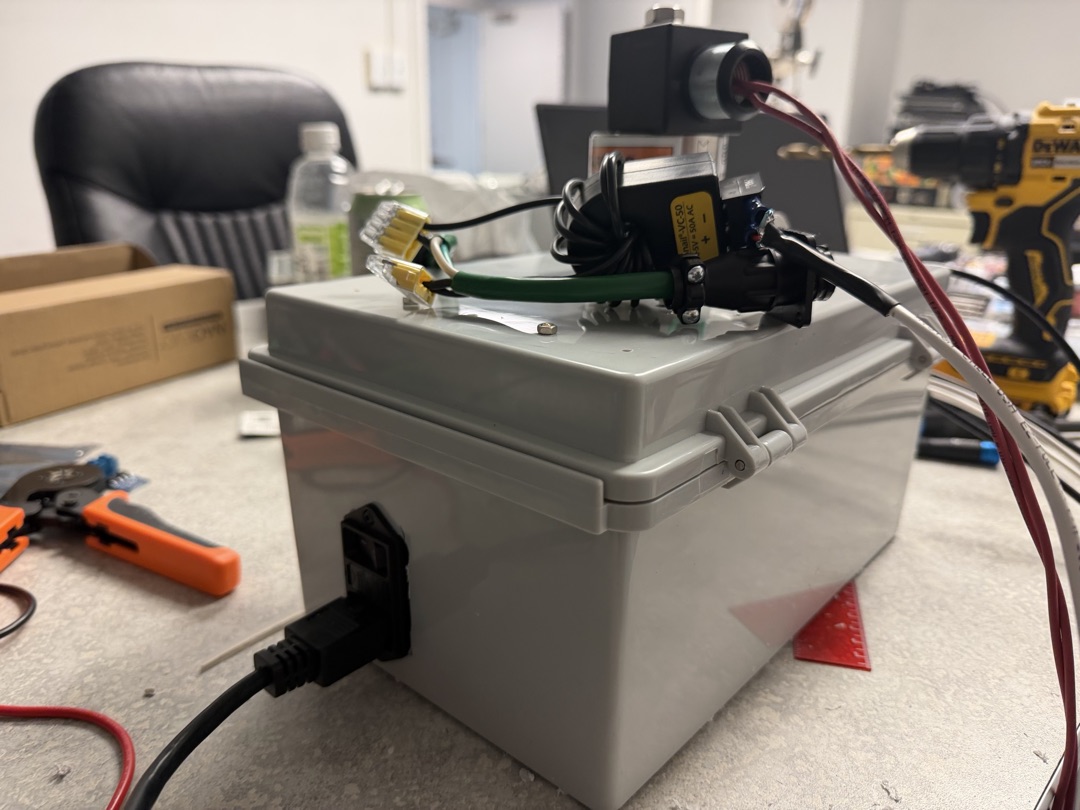
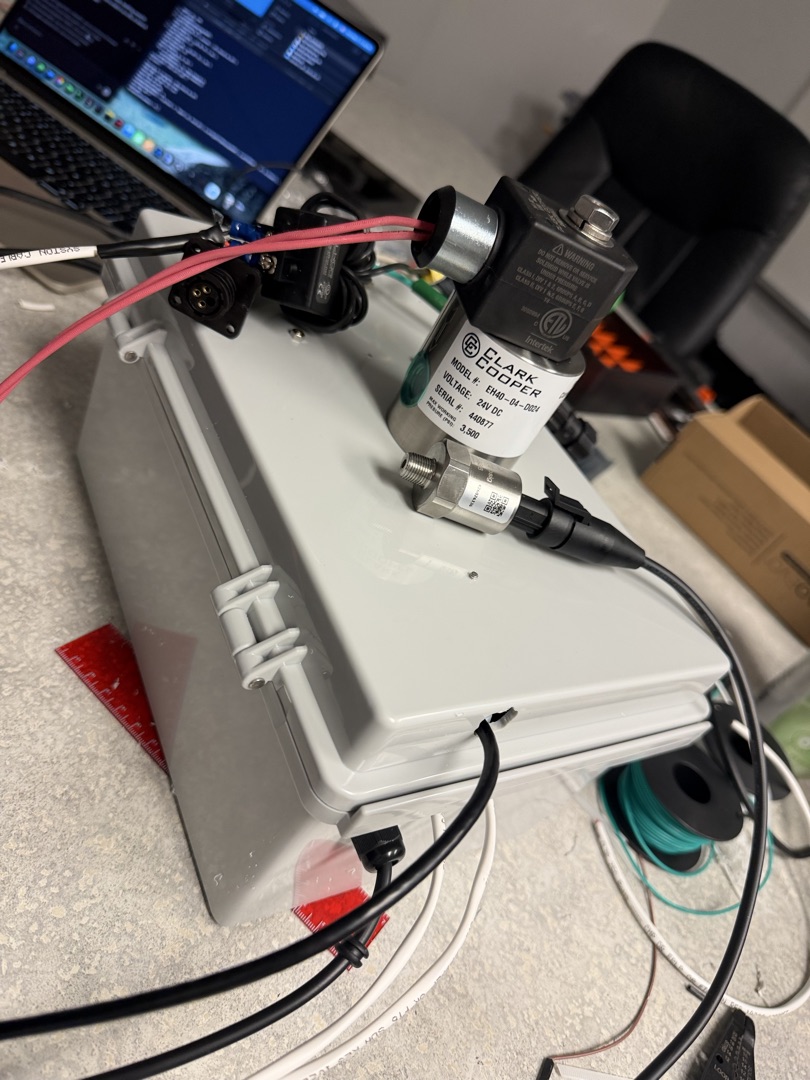
DAQ Box β€” fully commissioned tonight.

DAQ Box β€” fully commissioned tonight.

  • Mean Well 24V rail Β· LabJack U3-HV Β· LJTRD Β· SY074 driver
  • EH40 valve clicks on FIO4 command β€” 1N4007 flyback installed
  • i-Snail-VC-50 baseline confirmed at −0.005 V on AIN1

Sun May 3, 2026 Β· TacFOAM bench

SharePoint

Deep links.

Jump straight to the folder you need.

Resources

Where to go from here.

SharePoint Hub
All-company site, libraries, lists.
Microsoft Teams
Chat, channels, meetings.
Outlook
Email and calendar.
Planner
Program plans and tasks.
OneDrive
Personal file storage.
How to Use the Intranet
Click to expand quick primer.
  • Start at the top. The "Right Now" banner shows the next thing you should care about. Below that, "Today" lists your scheduled events. Below that, the four program tiles show live Planner status.
  • Use the calendar. The Master Calendar block pulls from SharePoint β€” switch to Month view for at-a-glance, or List for the upcoming-30-days breakdown. "Open in SharePoint" goes to the source list.
  • Bookmark the SharePoint deep links. Each tile in the SharePoint section drops you straight into a folder β€” faster than navigating from the hub.
  • Find an SOP, file an issue, or chat: Resources cards above and the Team section below have your direct contact buttons.
Leadership

The team.

DS
David Sherrer
CEO Β· compliance lead Β· build owner
VB
Vince Baranauskas
CTO Β· chemistry Β· CUI workflow operator
BS
Brandi Shepherd
Lead program engineer Β· lab support
SP
Sam Peltier
Operations & program coordination
PS
Patricia Simmers
Admin / finance Β· controller